Contract & Salary Change
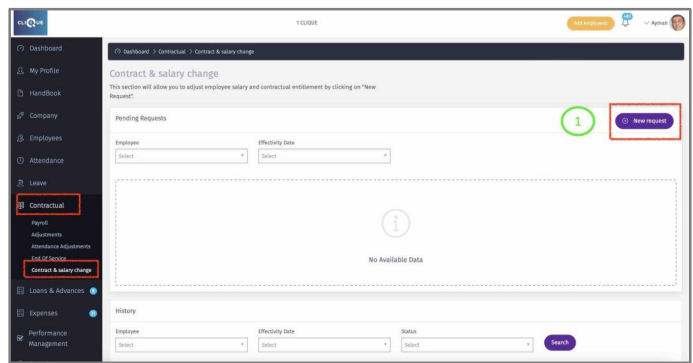
Here you can Adjust employee’s Salary and contractual entitlements.
1 – Click on “New Request”.
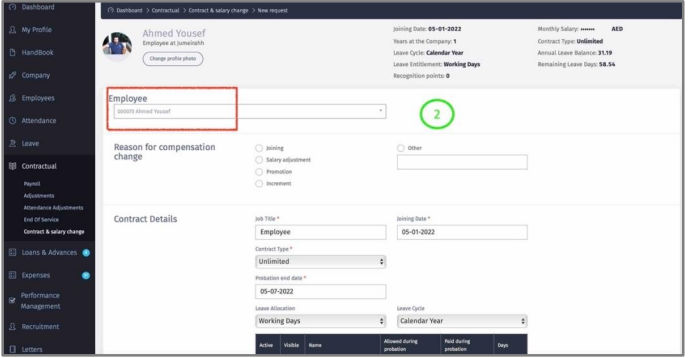
2 – Once you select the employee’s name, all contractual data will be displayed. The Following data can be amended:
o Contractual data.
o Leave Entitlement.
o Salary.
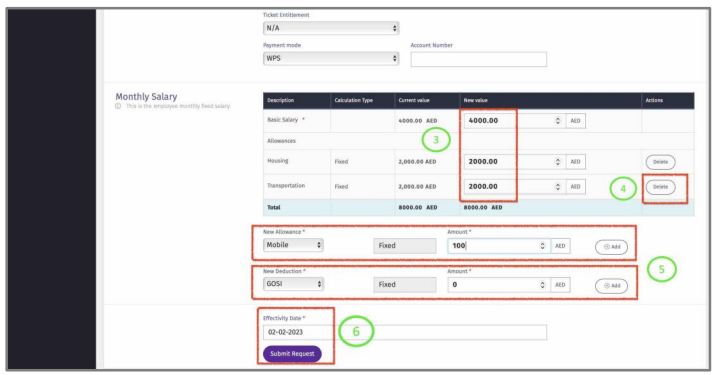
3 – Modify employee current salary.
4 – Delete Allowances or Deductions.
5 – Add Allowances or Deductions.
6 – Enter the effective date of the contractual changes and click “Submit Request”. The
system will modify employee data from the date of the effective date.
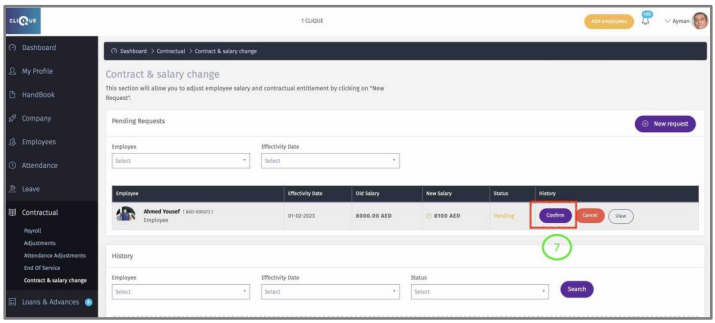
7 – Click Confirm to approve the Change.
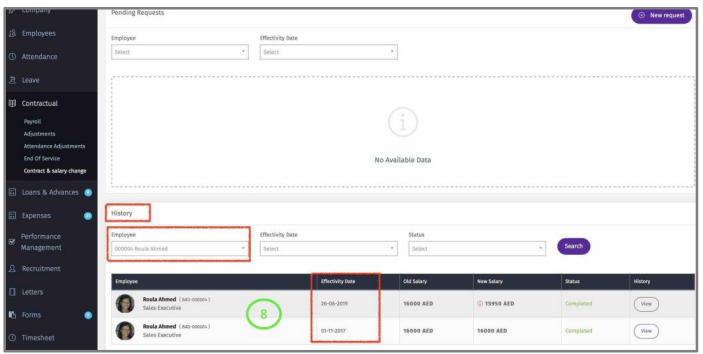
8 – Select Employee from history section to view all Confirmed Contract & Salary
Changes.