End of Service
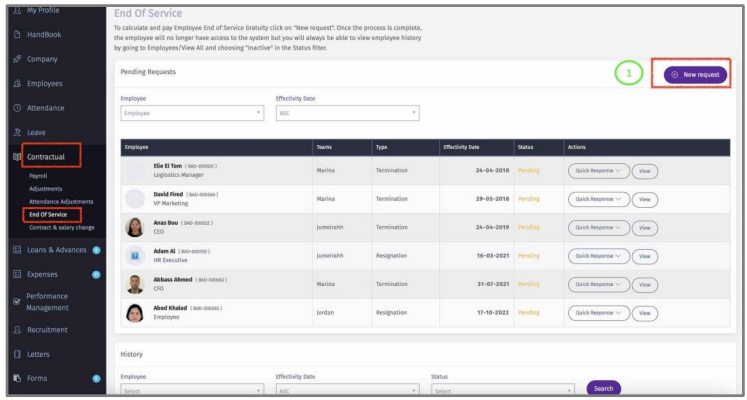
Here you can terminate the employee employment and calculate the end of service gratuity.
1 – Click on “New Request”.
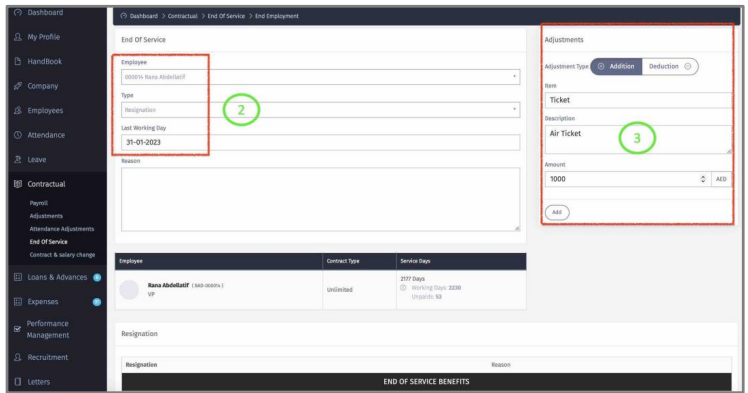
2 – Once you select the employee’s name, termination type and select the Last Working Day, the system will display all the gratuity calculations.
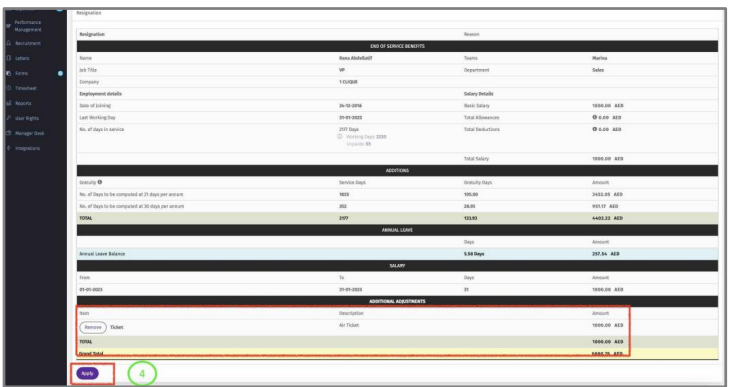
3 – Ad-hoc additions & deductions can be added to the End of Service statement.
4 – Click “Save” once finalized.
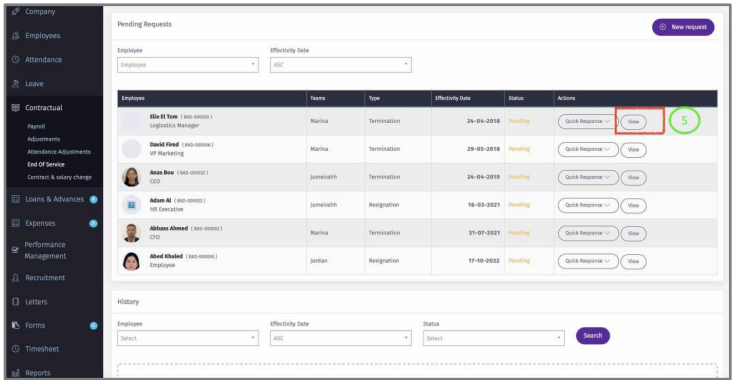
5 – The end of Service statement will show pending. Click “View”.
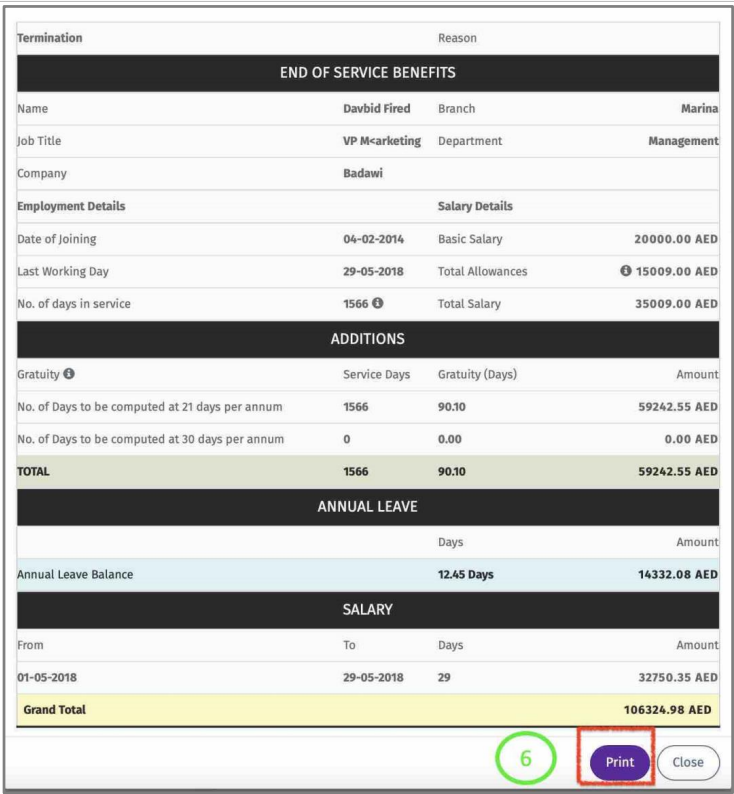
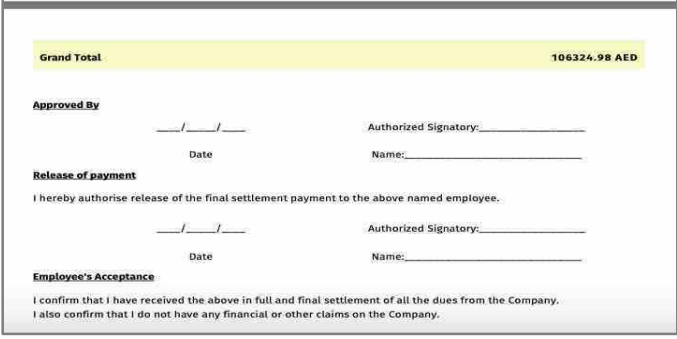
6– Click “Print” to generate a PDF file of the statement.
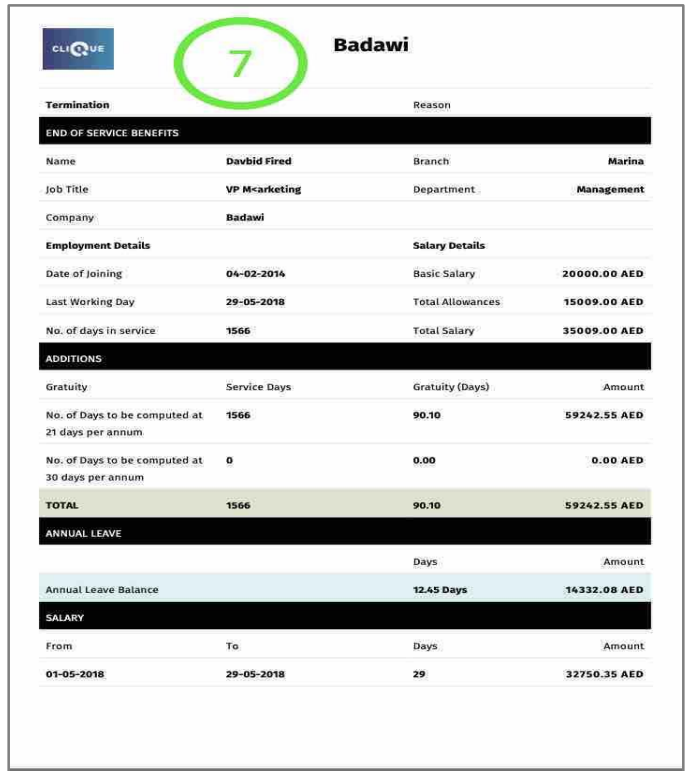
7 – A PDF file will be generated.
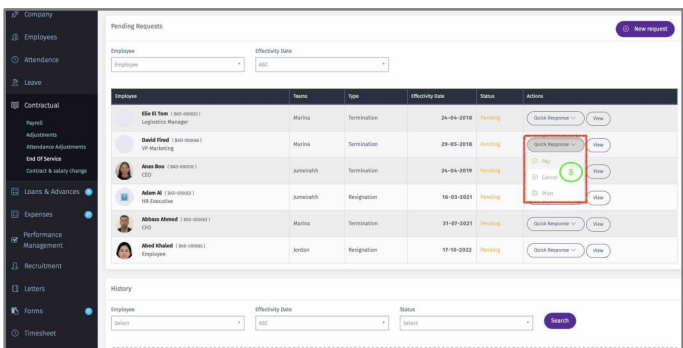
8 – Click on “Quick Response”:
o Pay: To make employee Inactive. (All employee data will be maintained in the
system under INACTIVE). Once the employee is made inactive, he/she will not be able to access the system anymore.
o Cancel: To cancel the end of service statement.
o Print: Generate PDF file of the End of Service statement.
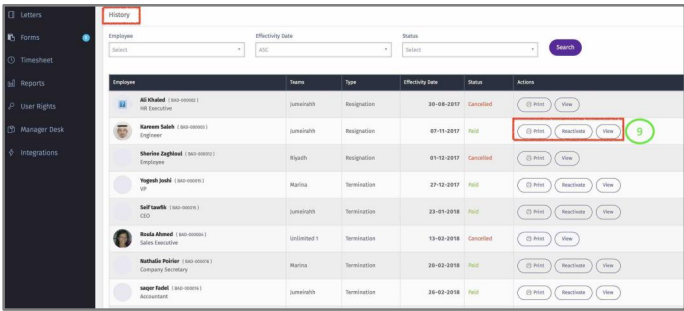
9 – History – here you can view all terminated employees.
o Also, you can reactive the employee. If employee is reactivated, the employee will become active and the employment will become continuous regardless of the
period that this employee stayed INACTIVE.