Transfers
Here you can transfer employee(s) to a Branch/Entity/Department.
Request
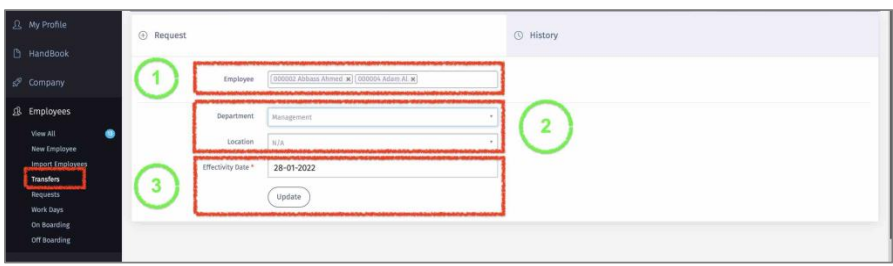
1 –Select employee or multiple ones.
2- Select the new Branch/Department/Entity.
3 – Select the date that you want this transfer to be effective from. Then Click ‘Update”.
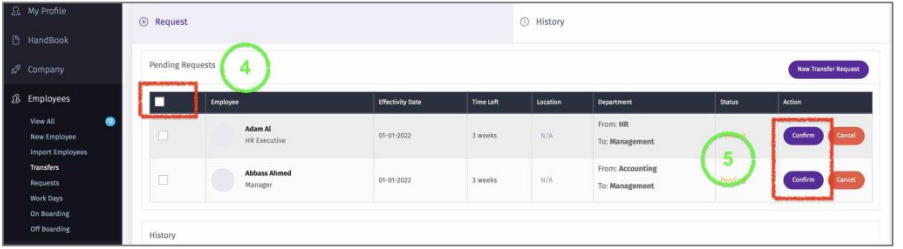
4 – You will be directed to ‘Pending Request” Screen. Select all.
5 – Then click “Confirm”.