Employee Mobile
This feature must be activated at company level where Office/Work Locations are defined and
linked to employee.
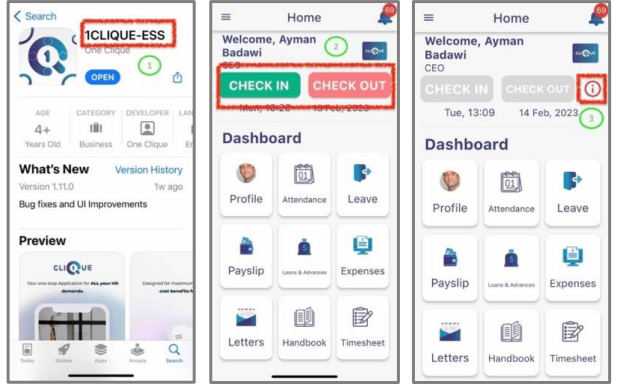
1 – Employee should download this Mobile App and login to his/her 1CLIQUE profile.using the same username and password that they use for the web version.
2 – The employee can click on Check-In & Check-Out to record the attendance.
3 – If the Check-In/Out buttons are disabled then they should click on the Information icon to learn the reason why the buttons are disabled.