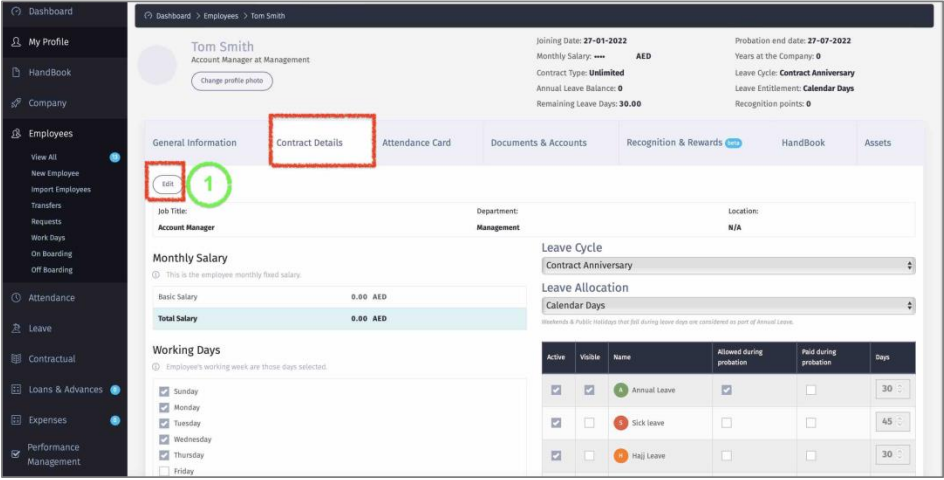
Edit Contract Details
The System will automatically take you to the “Contract Details” form to input Employee contractual Details:
1 – Click “Edit” to input all contractual details.
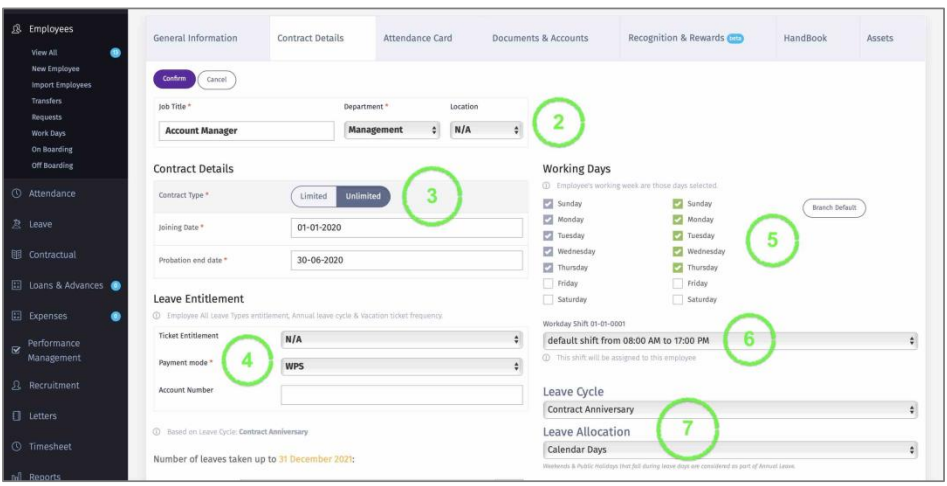
2 – Enter Employee Title & Select Branch/department/Entity.
3 – Define if Employee has Unlimited / Limited Contract; and enter Joining date & Probation End date.
4 – Enter Employee Payroll Payment Mode. If WPS is selected, then the Company WPS (Bank Router) number should be added. If not selected, then the Bank account number will be added automatically once Bank Details are added.
5 – Select Workdays for employee if not similar to the default one.
6 – Select from the dropdown, the working Time/shift that applies to this employee.
7 – Define the employee Leave Details:
Leave Cycle:
▪ Contract Anniversary – Employee leave Cycle will be based on Joining date.
▪ Calendar – The Whole company follows one Leave Cycle based on a specific date (e.g., the Leave starts from January 1st every year for all employees).
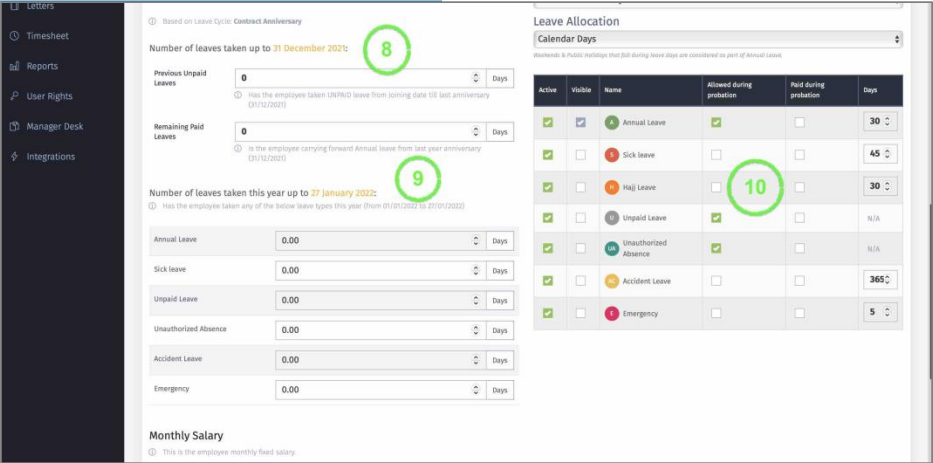
8 – Enter total number of the following:
o Unpaid leave taken from Date of Joining to the end of last leave cycle (Contract
anniversary or Calendar year). This number will be used to calculated End of Service.
o Total Number of annual leave that employee is carrying forward from last leave cycle
(Contract Anniversary or Calendar year). This number will be added to the current annual levee days for this current leave cycle.
9 – Enter number of Leave days TAKEN during this leave cycle. This number will be deducted from employee leave entitlement for this leave cycle.
10 – Employee Leave entitlement per year.
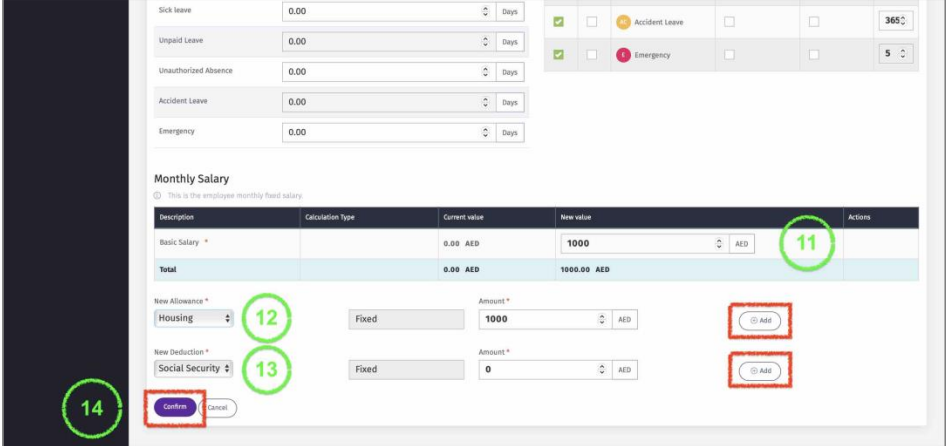
11 – Add Employee Basic salary.
12 – Select employee Monthly Allowances from the dropdown then input the amount then click “Add”.
13 - Select employee Monthly Deductions from the dropdown then input the amount then click “Add”.
14 – Click on Confirm to Save all the data.
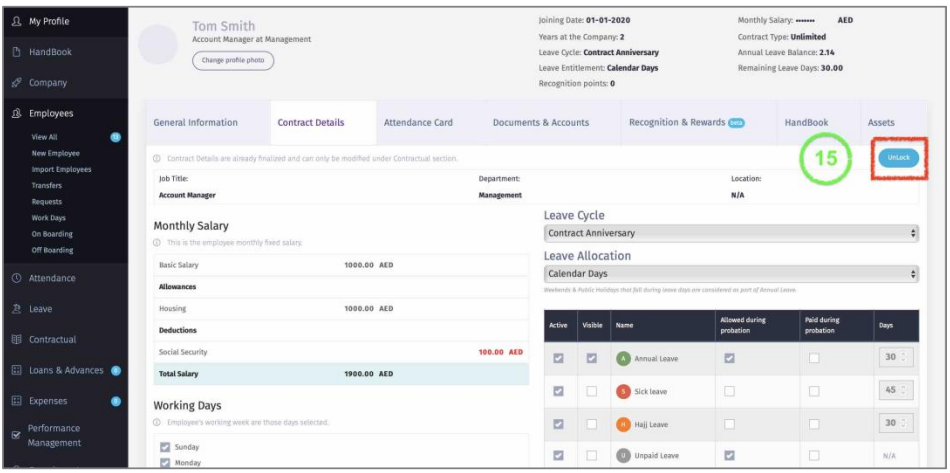
15 – The saved data can be edited when you click on “Unlock”. This option will be available as long no payroll or Salary Change has been generated for this employee.