Request Leave
This is how employee requests leave.
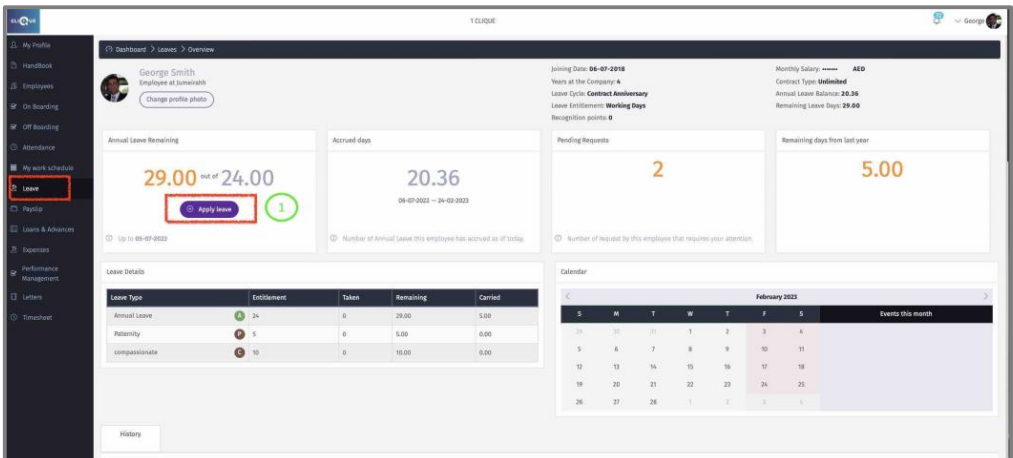
• 1 – Click on “Apply Leave”
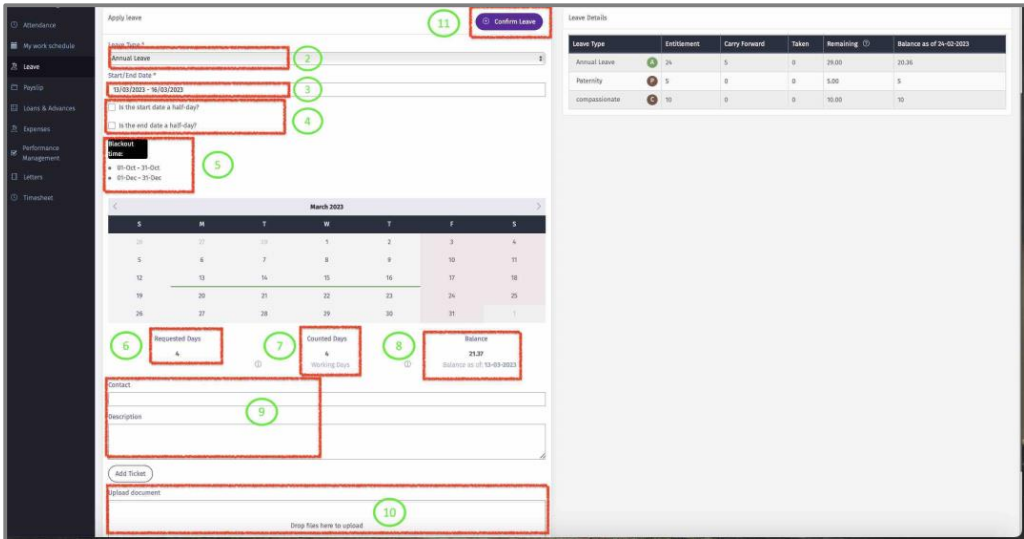
2 – Select the leave type from the dropdown list
3 – Select the dates of the leave.
4 - Check the box if the first and/or last day is a half day.
5 – Blackout days are dates that the company forbids the employee to take leave during that period in the year.
6 – Total days request by employee.
7 – Total days requested by employee that will be deducted from employee leave balance.
8 – Leave balance (Accrued) on the first day of the requested days.
9 – Employee can enter contact details while on leave with description.
10 – Employee can upload supporting document.
11 – Click on “Confirm leave” to submit the request. (Once submitted, the system will send a notification email to the manager)