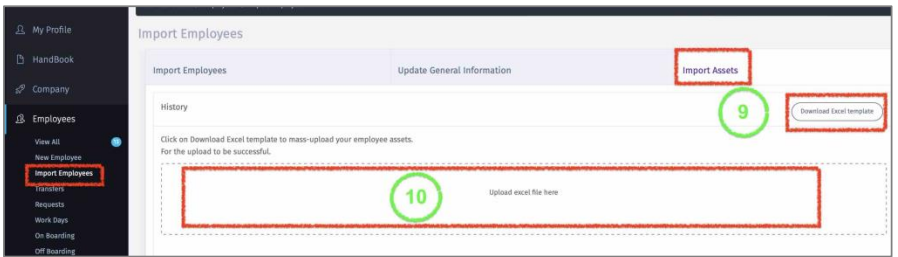
Import Assets
Here you can add Company assets that are provided to employees such as Mobile Phone,
Computer, unforms, etc.…
9 – Click on “Download Excel Template”.
10 – Once data is filed, then click on “Upload excel File here” and select the file. Once
file is uploaded then all data will be saved for respective employees.
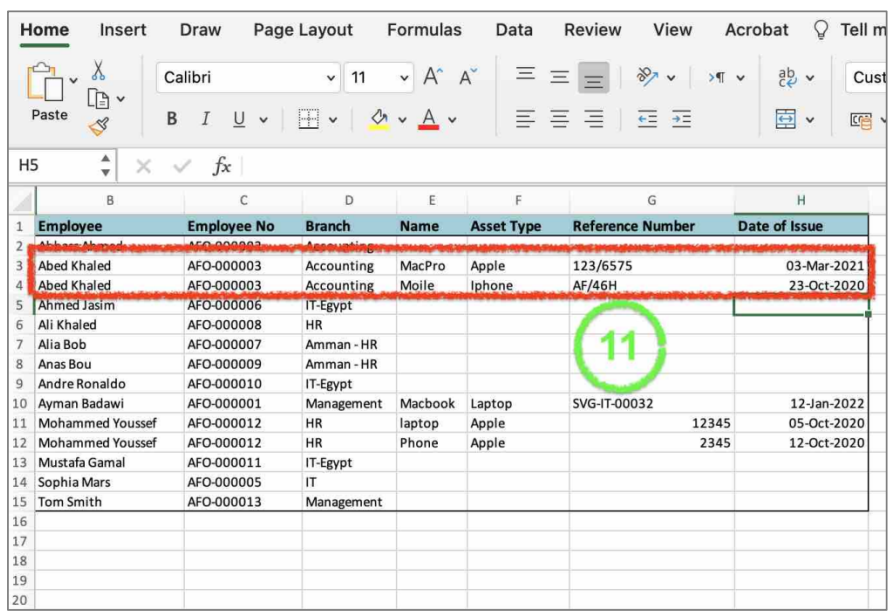
11 – If an employee has multiple assets, then you need add a row for every asset. Make
sure to copy and paste the exact employee information to avoid any error while
uploading.