Import General Information
Here you can add employees General Information, Bank & Document Details for EXISTING
Employees.
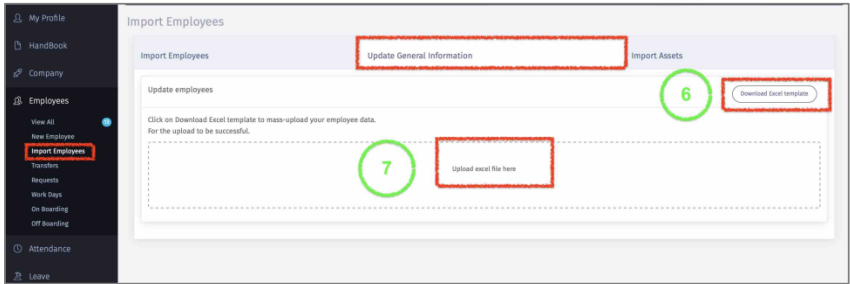
6 – Click on “Download Excel Template”.
7 – Once data is filed, then click on “Upload excel File here” and select the file. Once file is uploaded then all data will be saved for respective employees.
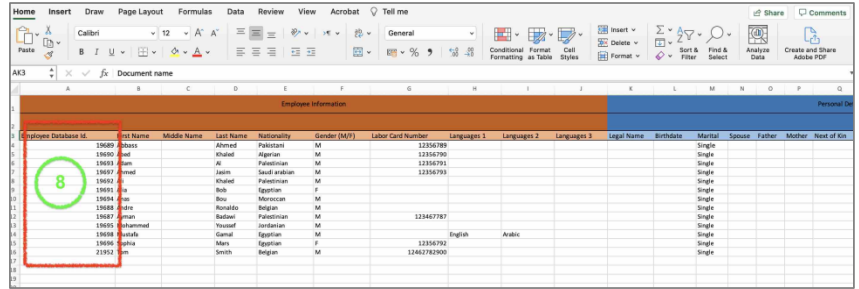
8 – The excel sheet will display “Employee Database ID”, PLEASE MAKE SURE YOU DO
NOT EDIT THIS COLUMN. The numbers displayed ARE NOT YOUR COMPANY EMPLOYEE ID. The number is related to 1CLIQUE database that is associated with the respective employee. Modifying that number will generate an error in upload. Also, ensure that you adhere to the cell format to obtain the best result.