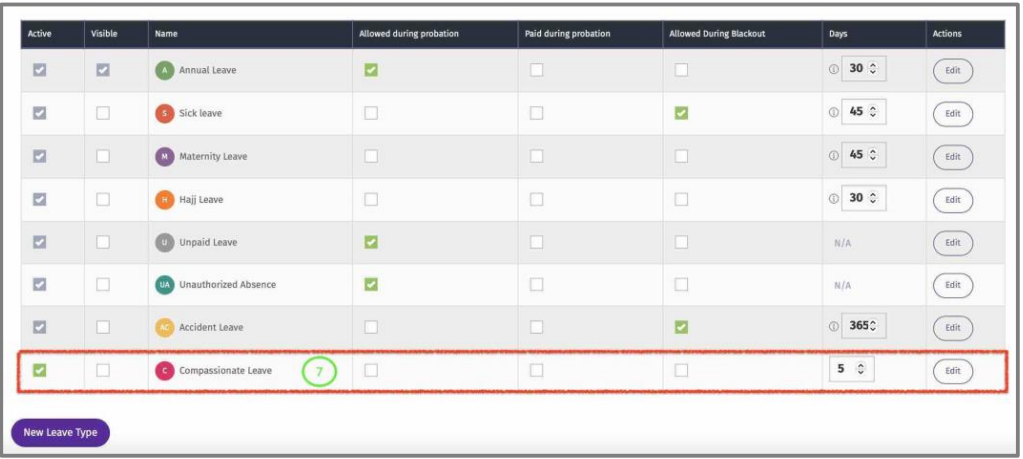
Add Leave
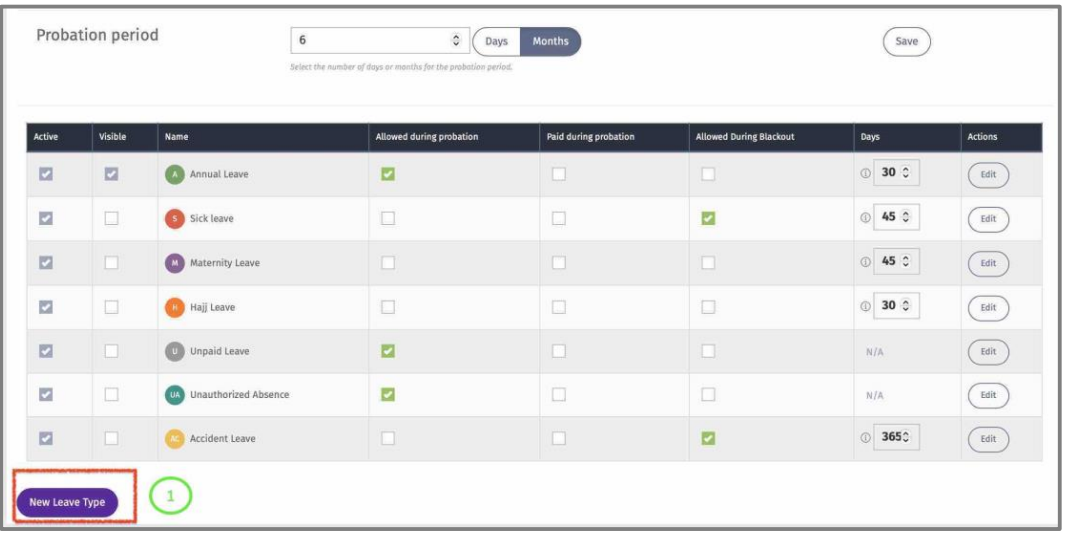
Here default Leave Types can be modified.
1 – Click on “New Leave Type” to add a new Leave Type for this entity.
2 – Add a name to this leave Type.
3 – Select an abbreviation.
4 – Add the number of entitlement days.
5 – Click on “Add” to add it to the list of default Leave Types for this entity.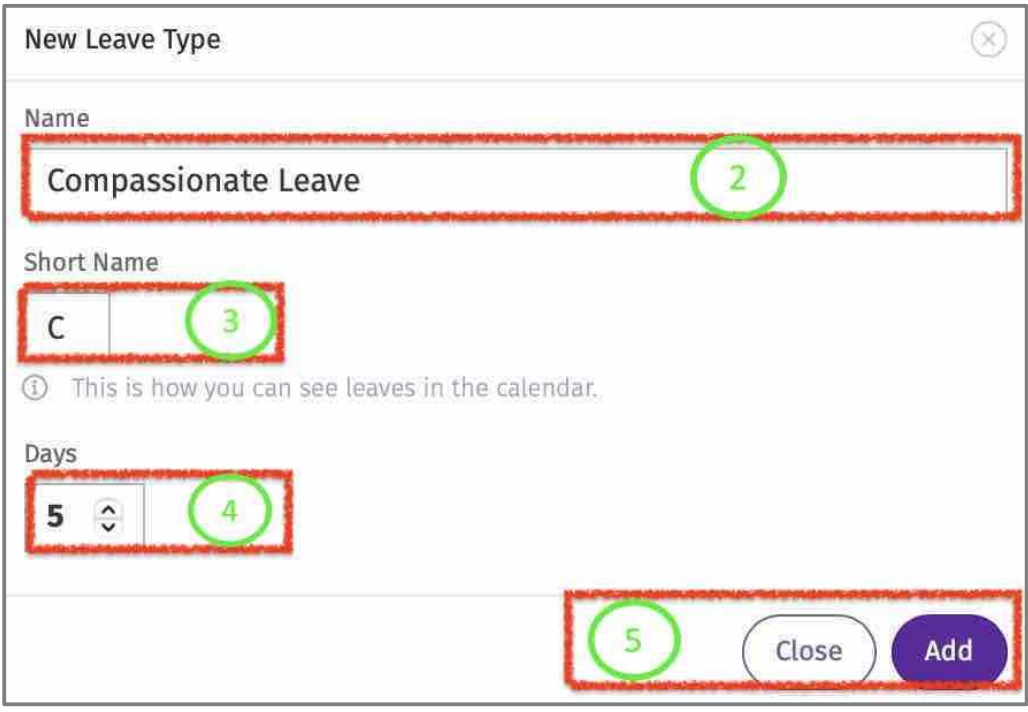
6 – Configure the Leave Type View Edit Leave.
9 – Once the Leave Type is added successfully, it will appear in the Leave Tab of that entity. (Repeat the same process to add this leave in other entities).