Manager
Here Manager/HR can view and attend to requested Loans & Advances.
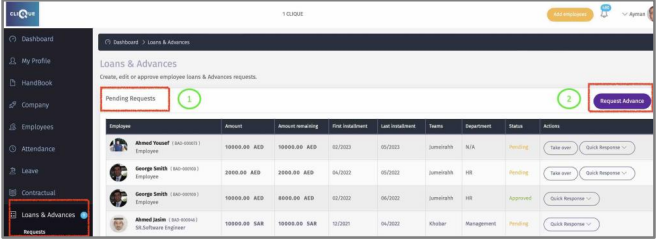
1 – View pending request that were submitted.
2 – Click “New Advance” to request a new advance on behalf of Employee.
 .
.
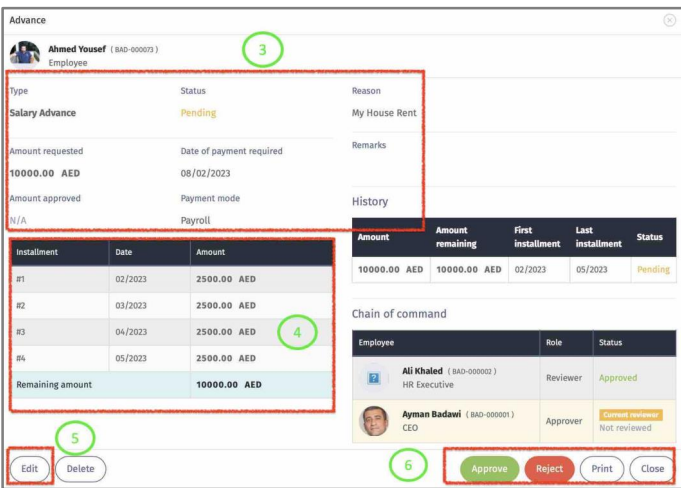
3 – View Advance details.
4 – View Monthly installments.
5 – Edit: Manager can modify the advance request.
6 - Manager can:
o Approve.
o Reject.
o Print.
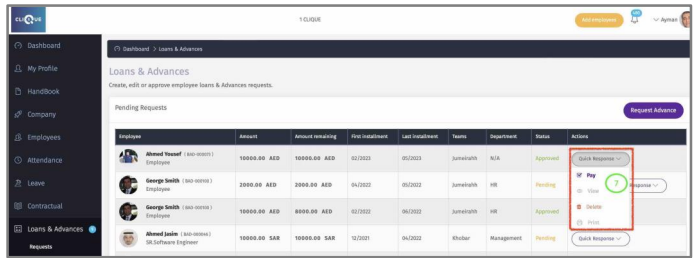
7 – Once request is Approved, Click on “Quick Response” to:
o Pay: Process the payment.
o View the Request.
o Delete the request.
o Print the request.
 .
.
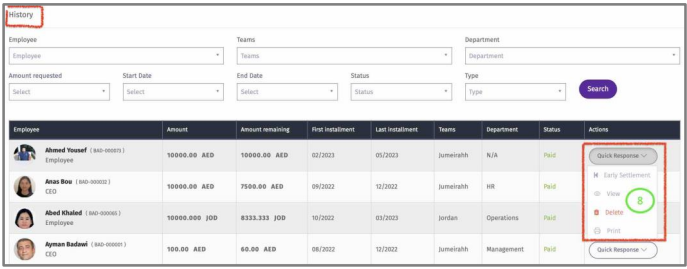
8 – In History section you can view all paid requests. Click on “Quick Response” to:
o Early Settlement: Clear Pending Installments.
o View Paid request.
o Delete Request.
o Print Request.
Early Settlement
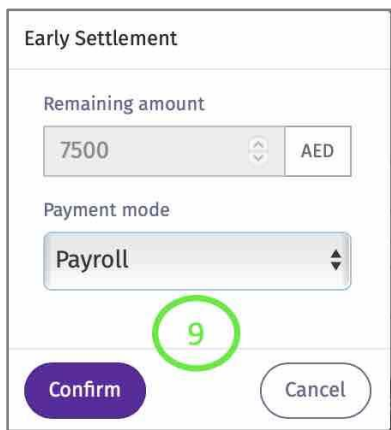
9 – If “Early Settlement” is selected, a Popup will Appear with the remaining amount and “Payment mode”. If Payroll is selected the remining amount will be deducted from next employee Payroll run. Click “Confirm” to complete the transaction.
Edit Paid Loans & Advances
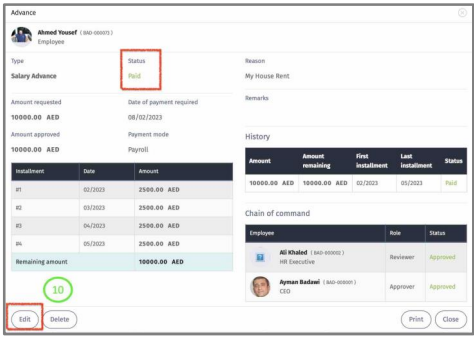
Edit Paid Loans & Advances by clicking “View” in History “Quick response”.
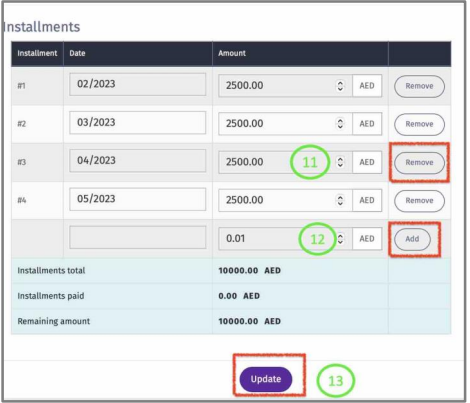
10 – Click “Edit” to modify monthly installments.
11 – Click “Remove” to stop monthly deduction for that month.
12 – Click “Add” to add another Monthly installment.
13 – Click “`update” to save changes.