Loans & Advances
Setup
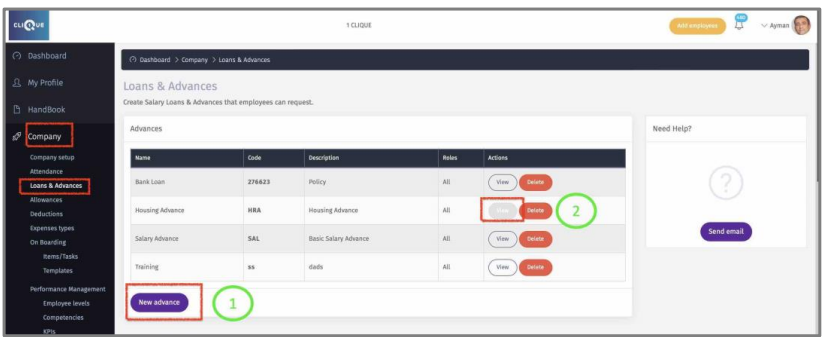
To utilize the Loans & Advances Module, you need to go first to:
Company/ Loans & Advances Here you can create Salary Loans & Advances that employees can request.
1 - Click on “New Advance” to add a new Advance.
2 – Click “View” to display or edit existing Advance.
3 - Create a name to the Advance.
4 - Add Code (optional)
5 – Add a description /definition of the Advance.
6 - Enter the company policy regarding this advance type. This policy is viewed by
employees.
7 - Enter text where employee acknowledge that this is an advance and must be deducted from salary one time, on installments or upon end of employment service.
8 - Who should be able to request this advance, if a particular role is selected then
employees with that role will be able to request this advance. Check User Rights/Roles to
view available roles.
