Talent Bank
Add Candidate Manually
You can add candidate to your Talent bank manually
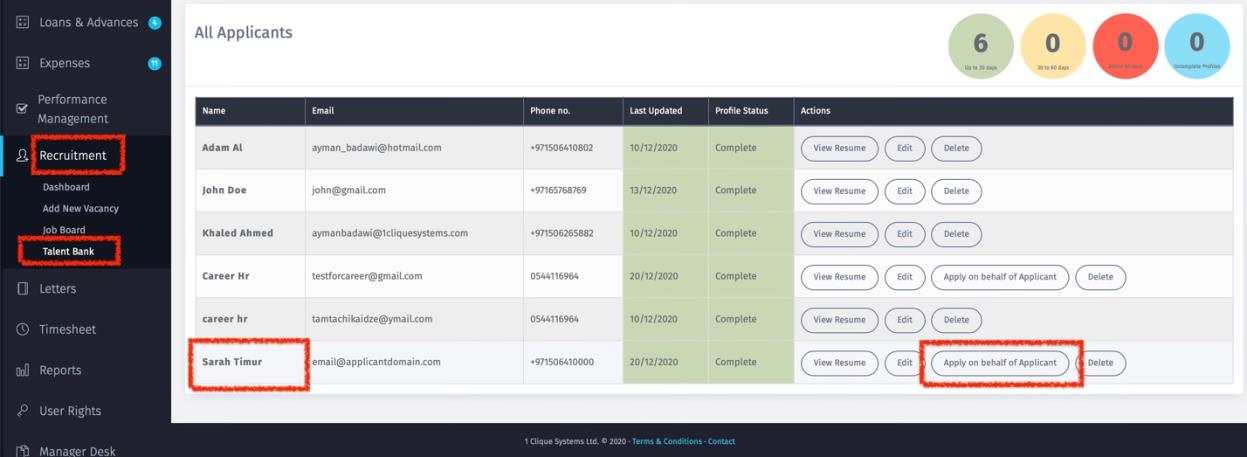
(a) Go to recruitment/Talent Bank and then click on “New Applicant”.
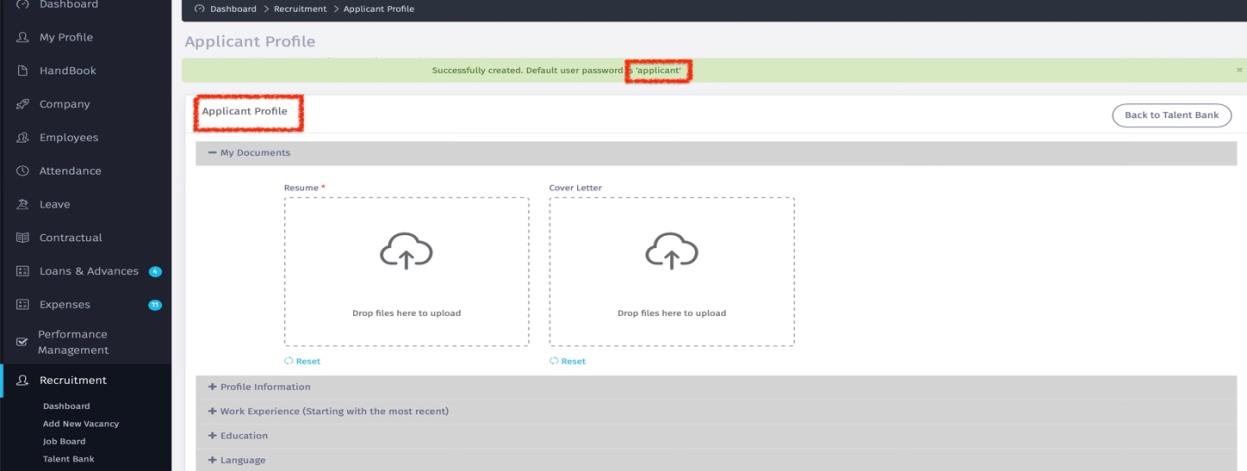
(b) The Candidate profile will be created, and you can share with the applicant the username (Applicant email address) and password which is by default “Applicant”.
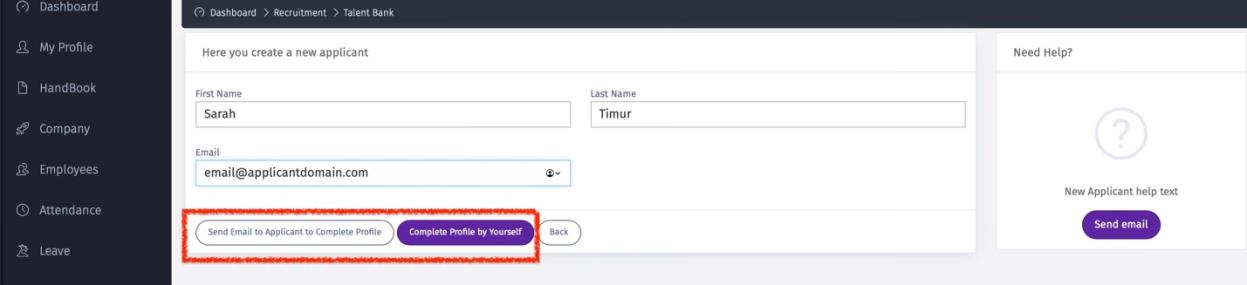
(c) You can send an email to candidate to complete the application by clicking on “Send Email to Applicant to complete Profile; OR
(d) Click on “Complete profile by Yourself”, and complete the application.
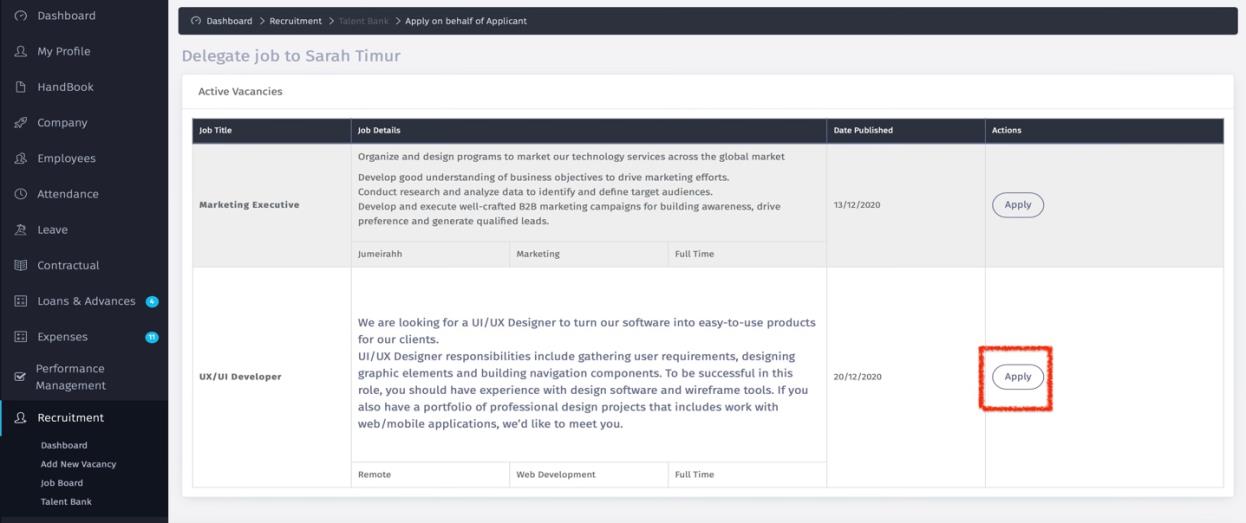
 (e) Once the application is Saved then you can add the candidate to a specific job by clicking on “Apply on Behalf of Employee”
 (f) Then all the jobs on the Job Board will be displayed. Click on “Apply” for the desired vacancy.
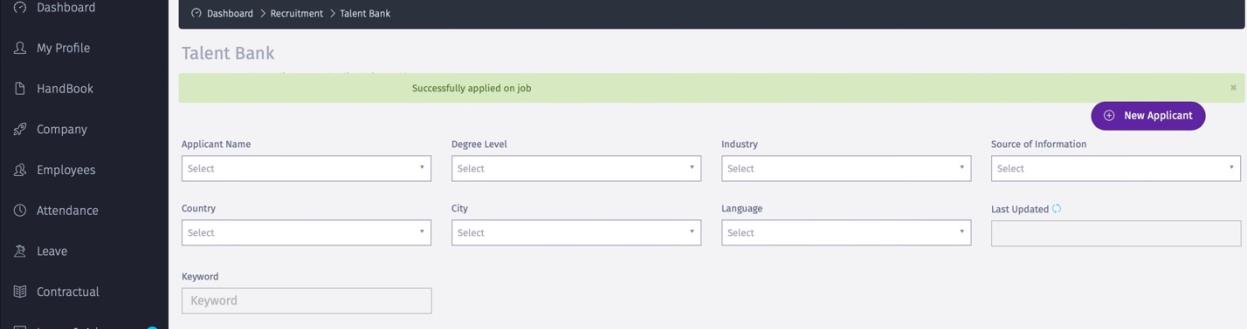
 (g) A message “Successfully Applied” will be displayed.
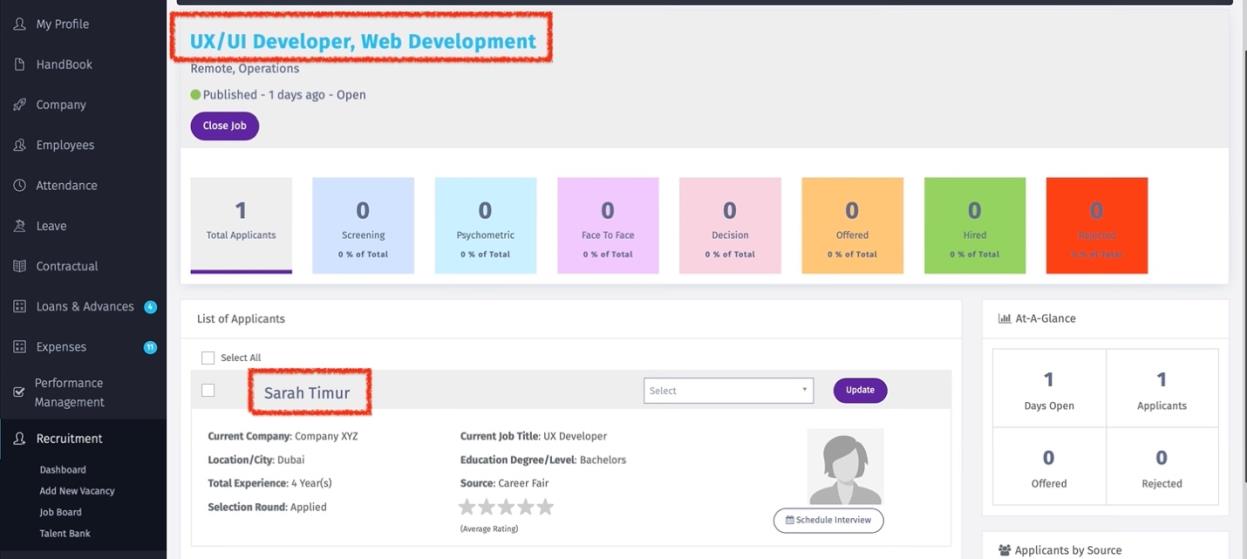
 (h) Then the candidate will be added as one of the applicants to that specific vacancy.