Encashments
Here you can pay employee for leaves that were not used.
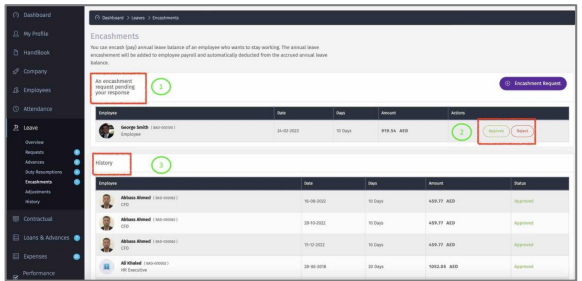
1 – View all the pending Leave Encashments.
2 – Approve/Reject Leave Encashments. Once approved, the amount will be added to
employee payroll run.
3 – View history of Leave Encashments.
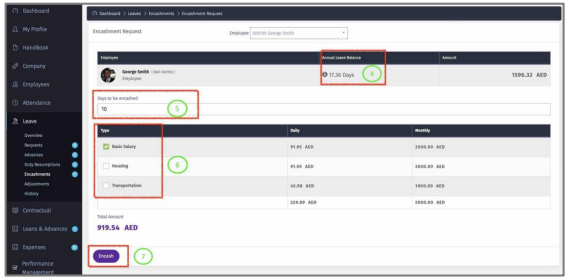
4– Number of days has accrued up to today.
5 – Enter the number of days to encash (days can’t be bigger than the accrued days).
6 - Select the pay elements to include in the leave encashment.
7 – Click “Encash” to complete the process.