Requests
Here Manager/HR can view & attend to employee Leave Requests.
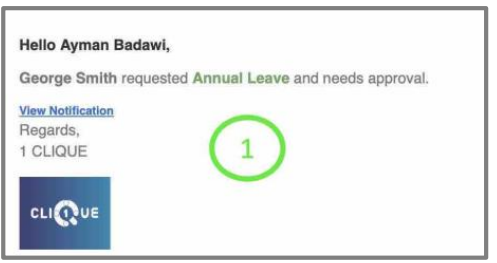
1 – The Manager will receive an email notification once the employee submits a leave
request.
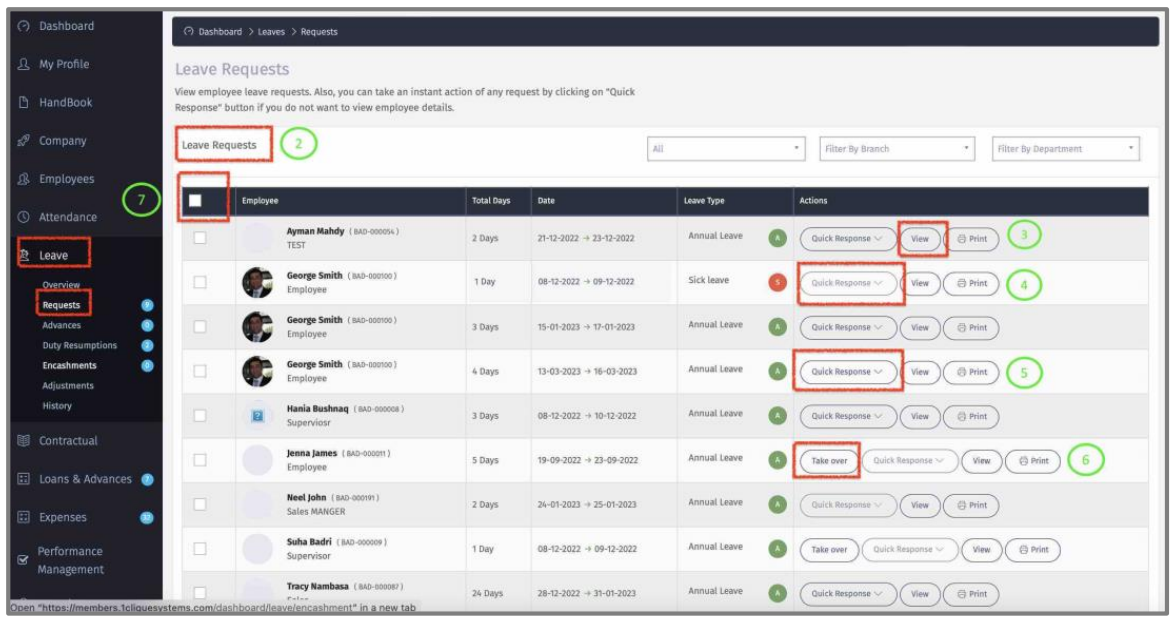
2 – View all leave requests.
3 – Click “View” to display all details of the requested leave.
4 – If “Quick Response” is disabled, that means that the user can view the leave but is not part of the approval cycle (Workflow).
5 – Click on “Quick Response” to approve/reject leave without viewing details.
6 – Click on “Talk Over” to override all other managers approvals.
7 – Check the box to select all requests.
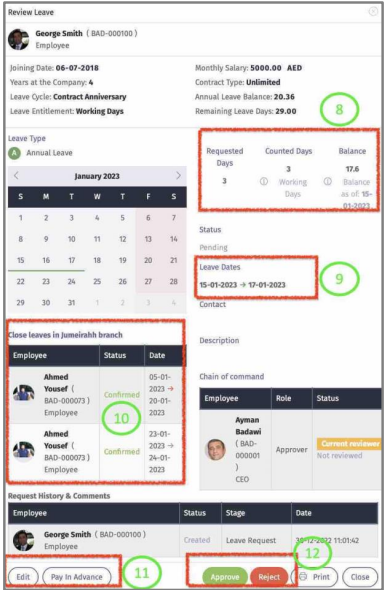
8 – Employee requested days, counted days that will be deducted from employee leave &
leave balance on the first day of leave.
9 – Dates of the leave requested.
10 – Other employee leaves that are within the same period as the requested leave.
11 – Edit employee leave and pay employee leave advance.
12 – Approve/Reject requested leave.