Application Setup
Here you create & define the Applicant Criteria for search and application purposes.
Applicant Setup Tab
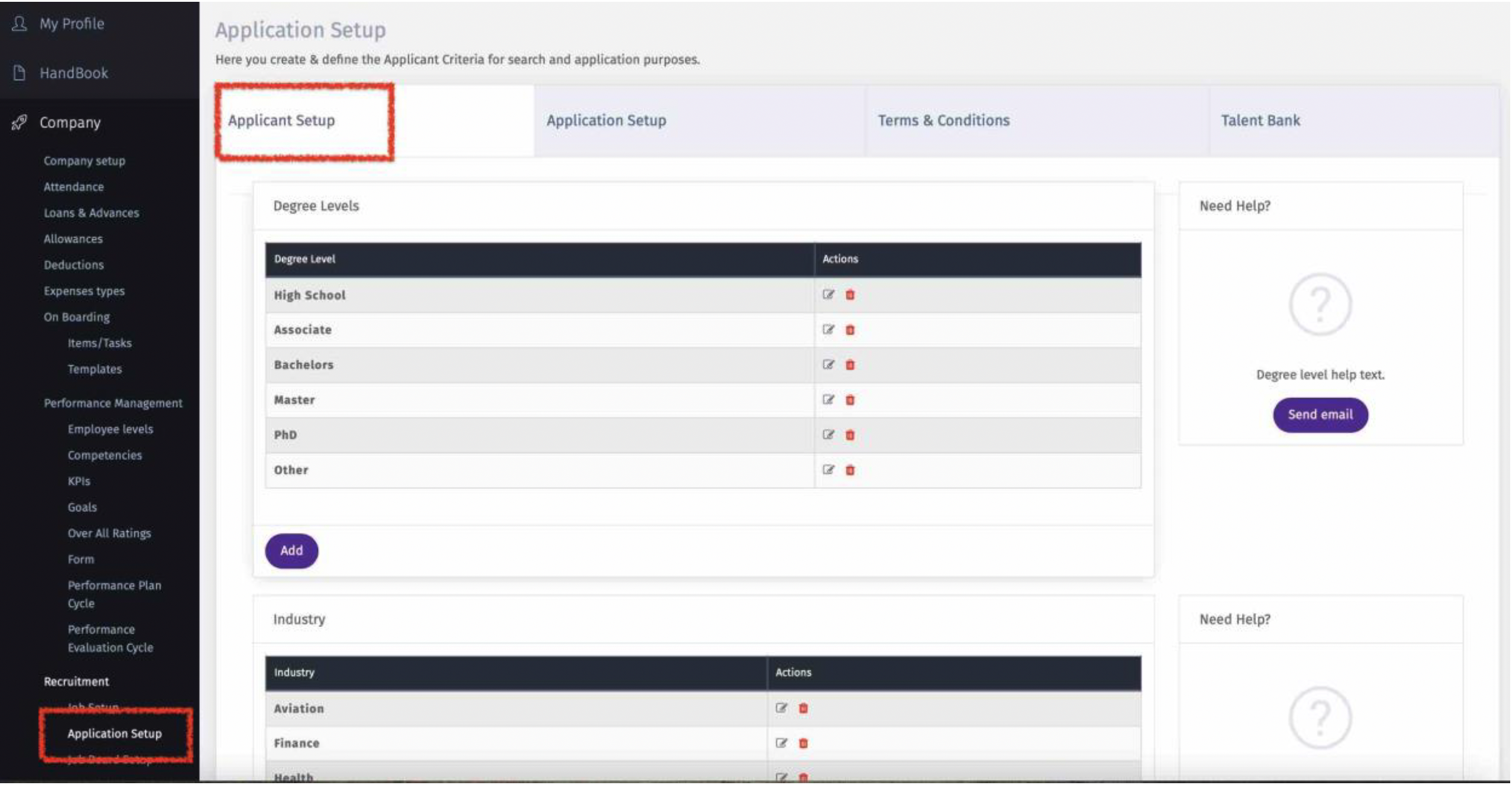
This tab will help you create and define applicant categorization.
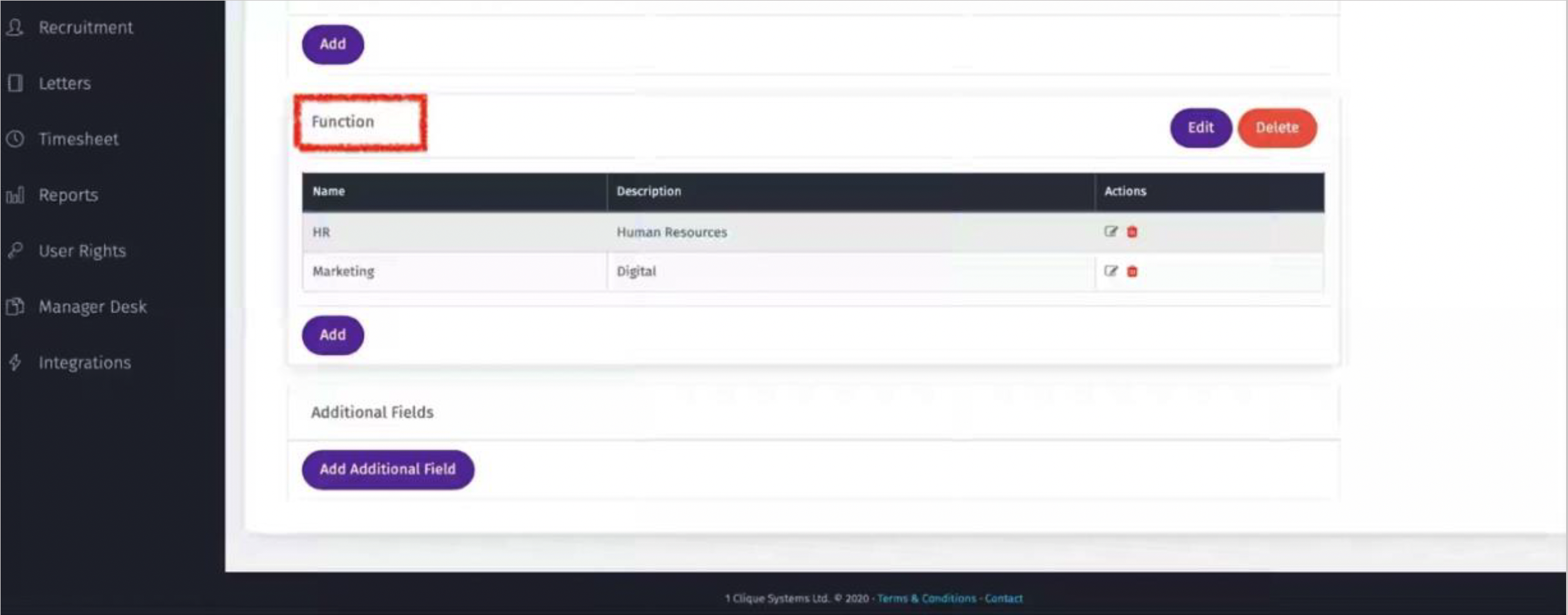
i. Here you can edit or add to the default list
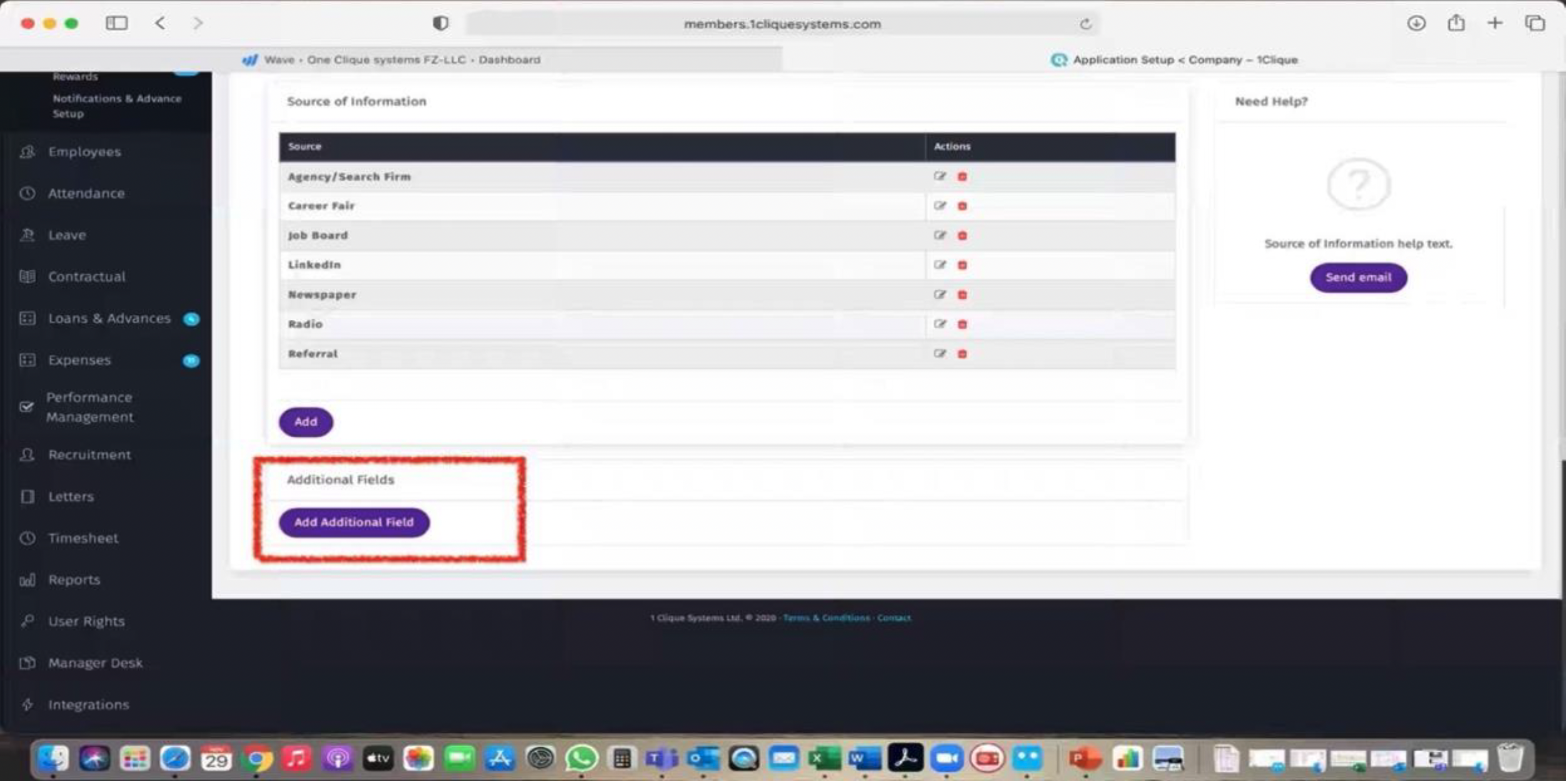
ii. An extra category can be added by going to the bottom of the screen and click on “Add Additional Field”:
a. A Pop-Up screen will appear
b. Give a name to the field
c. Add options so a drop-down list will appear once you create a vacancy
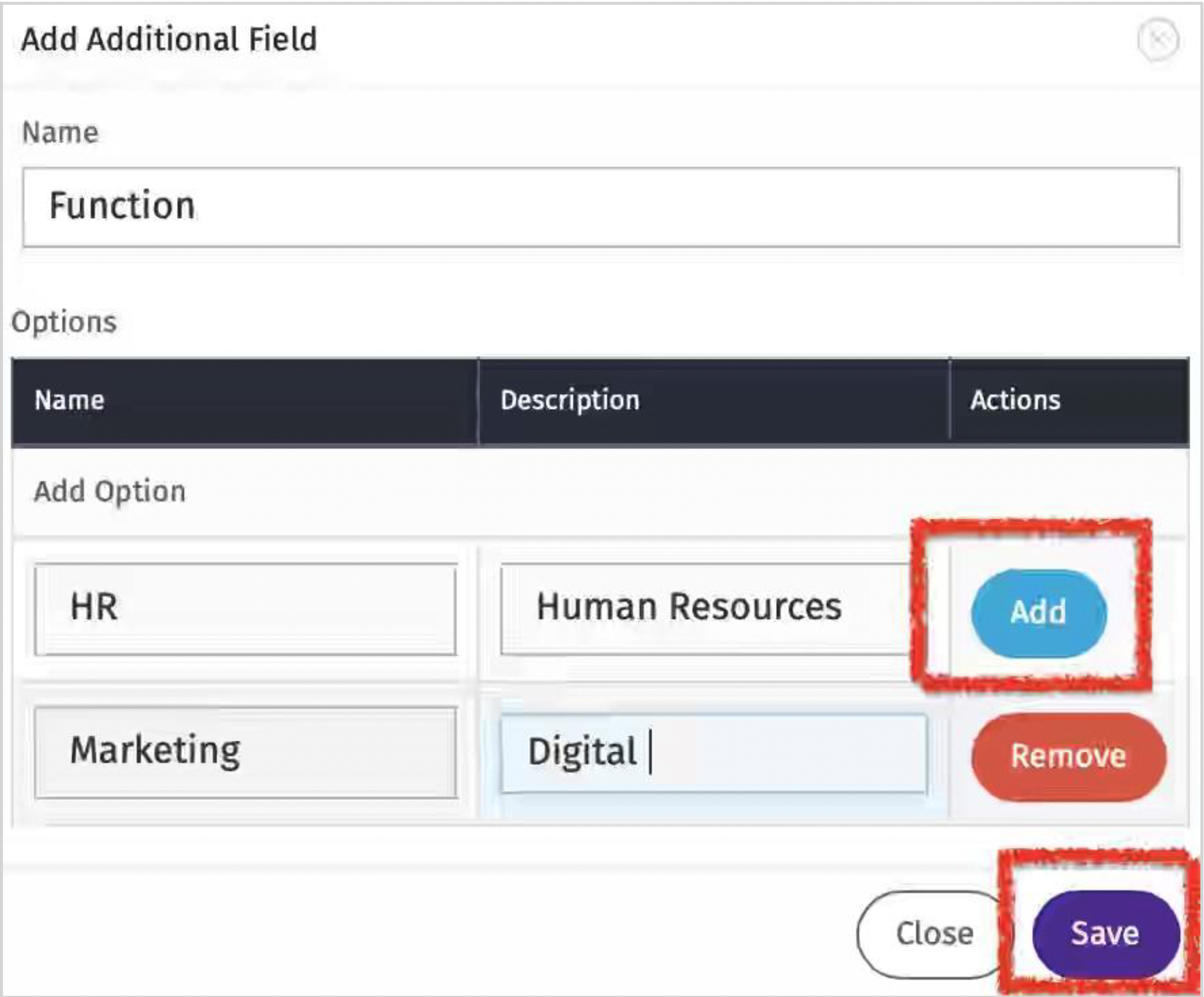
d. Once saved, the new field will appear in the Applicant Setup Screen
Application Setup Tab
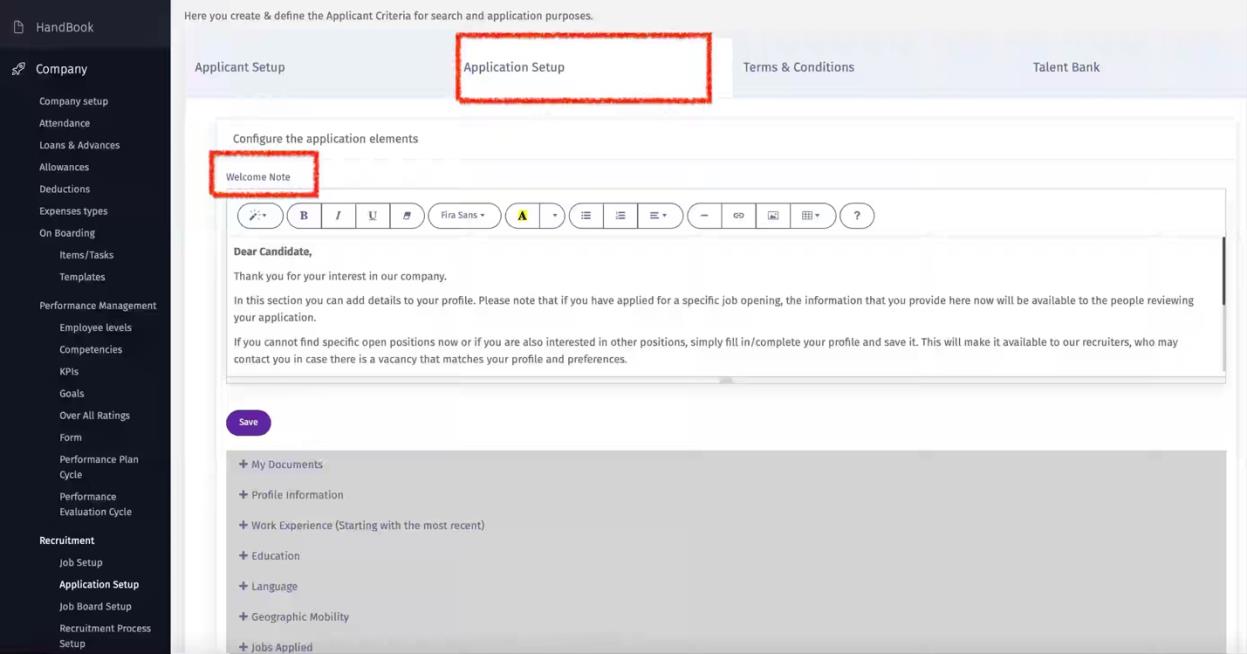
i. Configure the welcome Note that will appear when the candidate is completing the Job application.
ii. The second part of this screen is only to view the job application and what each section includes.
Terms & Conditions Tab
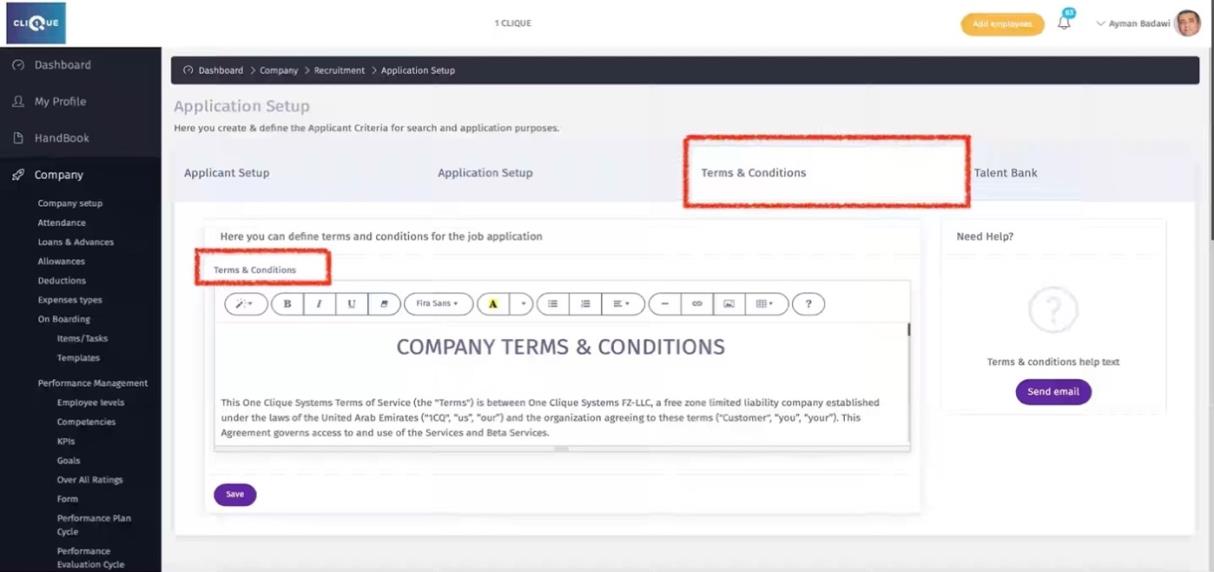
Configure the company terms & conditions for candidate to view and agree to when completing the job application or creating an account on the company job board.
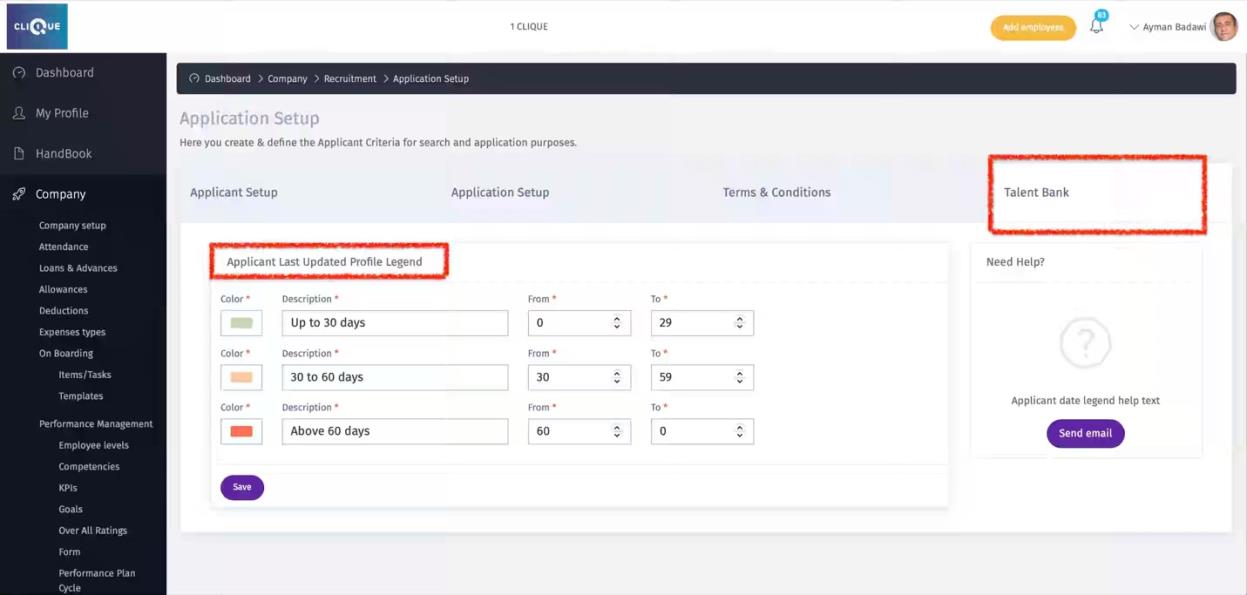
Talent Bank Tab
Create a color-coded legend for application last update by candidate.