Job Board Setup
Here you are able to configure the company's Job Board Elements.
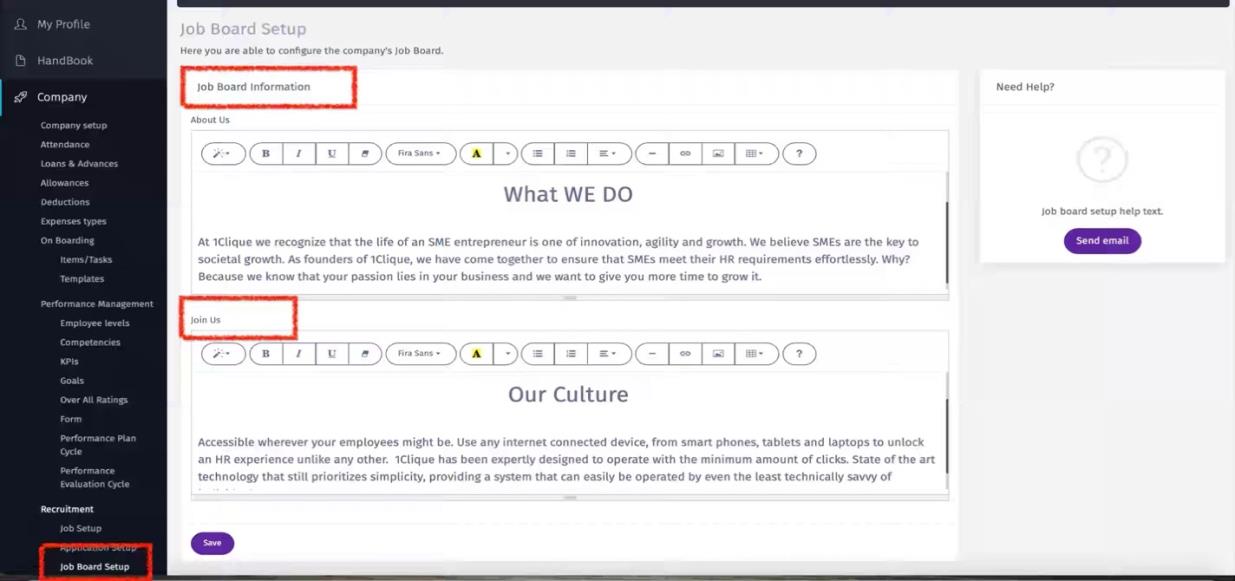
Company Message
In this section you can add/edit the following items so it will appear when applicant clicks on a specific job:
a. About Us – this is the section where a brief explanation about the company is added b. Join Us – this is the section where you promote your employer branding such as company culture, diversity, and career progression.
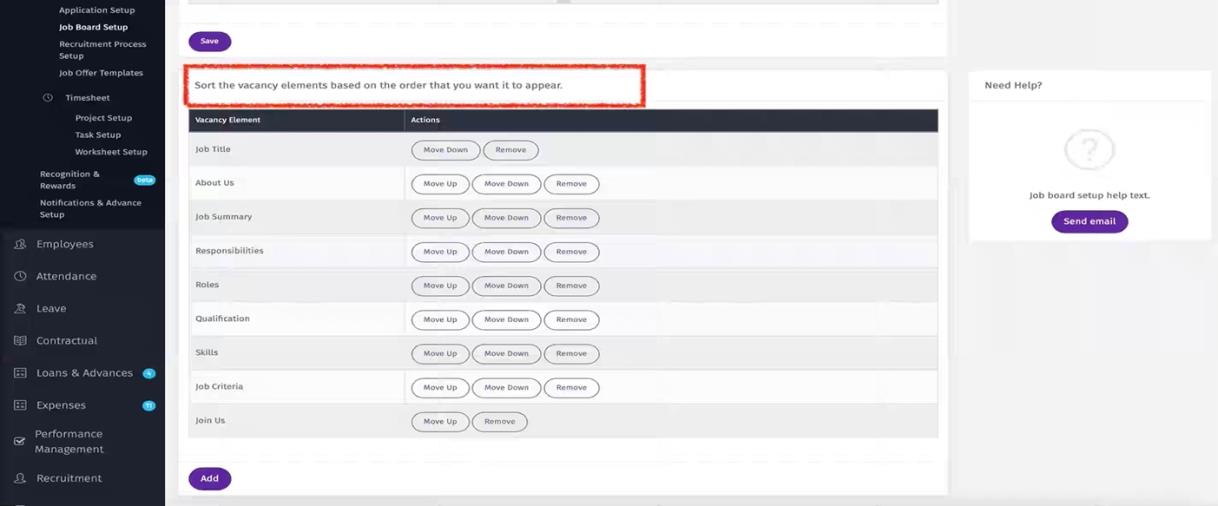
Vacancy Elements
In this section you can edit/add and organize the order of appearance of the job elements.
Job Legend
In this section you can color-code jobs Legend based on number of days since the job was posted on the job board.

Link to Career Page
In this section you can:
a Link your career page in the company website with your company unique URL in 1CLIQUE Job board. b This will allow the candidate to perform the following activity from the company website once they click on career page: i Create a candidate account. ii View all jobs posted on your 1CLIQUE Job Board. iii Apply for a job.
